
How to Find & Fix Keyword Cannibalization Guide
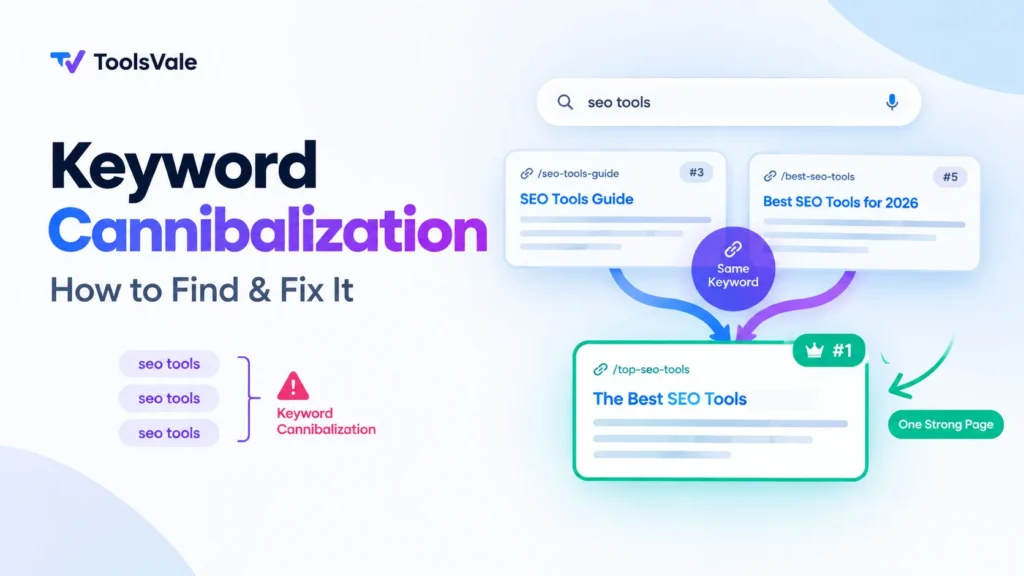
How to Detect Keyword Cannibalization (4 Proven Methods)
Before you fix anything, you need proof. Not a hunch, not a gut feeling — actual data showing that two or more of your pages are fighting each other for the same query. Here are four methods, ordered from quickest to most thorough.
Method 1: Google Search Console (Free, Most Reliable)
This is where every cannibalization audit should start, because GSC shows you what Google actually sees — not estimates from third-party tools.
Here’s the exact workflow:
- Open Performance → Search Results. Set your date range to the last 6 months. Longer windows expose patterns that 7-day snapshots miss entirely.
- Click “+ New” → Query. Type in the keyword you suspect is cannibalized. Use “Queries containing” for broader matches or “Exact query” if you know the precise term.
- With the query filter applied, click the “Pages” tab below the chart. This is the moment of truth.
- Read the results:
- Only 1 URL appears → No cannibalization for this term.
- 2+ URLs appear, but one has 95%+ of impressions → Google knows which page is primary. Monitor, don’t panic.
- 2+ URLs split impressions roughly evenly, or swap positions across date ranges → This is real cannibalization. Act on it.
The critical detail most guides skip: compare two date ranges for the same query. Look for URLs swapping positions over time and impressions splitting between them. That oscillation — Google bouncing between your pages because it can’t decide — is the definitive confirmation signal. A single snapshot isn’t enough.
If you’re running a full site audit, check your top 20–30 traffic-driving queries this way. It takes about an hour for a mid-size site and catches the problems that actually cost you clicks.
Method 2: Google’s site: Search Operator (Free, 30 Seconds)
Open Google and type:
site:yourdomain.com "your target keyword"
If Google returns multiple pages from your site that all appear to answer the same question, you likely have overlap. This method is rough — it won’t tell you which page Google prefers or how impressions split — but it’s the fastest way to get a directional read, especially on a site you’re seeing for the first time.
Pay attention to what Google shows in the titles and descriptions. If two results look interchangeable to you as a human reader, they probably look interchangeable to Google too.
Method 3: Ahrefs, Semrush, or a Dedicated Cannibalization Checker
If you manage multiple sites or need to audit at scale, paid tools make the process significantly faster.
In Ahrefs: Go to Site Explorer → Organic Keywords → filter for “Multiple URLs only.” This instantly surfaces every keyword where your domain ranks with more than one page. Click into the position history chart for any keyword — if you see two lines (two URLs) constantly swapping, that’s confirmed cannibalization.
In Semrush: The Position Tracking tool has a built-in Cannibalization Report. It shows affected keywords, competing pages, and even a “Cannibalization Health” score out of 100%. A score well below 100% means you have overlap to address.
For a quick, no-signup alternative, you can use a free keyword cannibalization checker that analyzes SERP similarity between keywords to flag overlapping intent before it becomes a ranking problem.
Method 4: The Manual Spreadsheet Audit
This is old-school but surprisingly effective for smaller sites (under 200 pages). Create a spreadsheet with three columns:
| URL | Primary Target Keyword | Search Intent |
|---|---|---|
| /best-running-shoes/ | best running shoes | Commercial comparison |
| /top-running-shoes-2026/ | top running shoes 2026 | Commercial comparison |
| /running-shoes-beginners/ | running shoes for beginners | Informational guide |
Sort by the “Primary Target Keyword” column alphabetically. Duplicates and near-duplicates jump out immediately. But here’s the part people miss: also sort by “Search Intent.” Two pages can target different keywords but still cannibalize each other if they serve the exact same intent. In the table above, rows 1 and 2 are clearly cannibalizing — same intent, slightly different phrasing. Row 3 is safe because it serves a different audience at a different stage.
If your site has a lot of content and you suspect duplicate or overlapping content in your sitemap, running a duplicate content scan before the manual audit saves time by narrowing your focus to the pages that actually overlap.
The Severity Test: Is It Actually Hurting You?
Here’s what most cannibalization guides get wrong: multiple URLs ranking for the same keyword is not automatically a problem.
Studio 36 Digital published a significant study in January 2026 analyzing 100 of the web’s top-performing sites across 2,500 keywords. Their finding: the average successful website ranks 4.7 different URLs for every top keyword. 68% of the sites they studied showed what would technically qualify as “significant cannibalization” — 5 or more URLs per keyword. Only 12% had the clean 1-2 URL control that traditional SEO advice recommends.
Ahrefs’ own internal study reinforces this. They reviewed 80 keywords where Ahrefs.com ranked with multiple pages. Only 1 out of those 80 actually needed fixing. The rest were cases of beneficial diversification — different pages serving different facets of the same broad query, each earning clicks from slightly different searcher intents.
So how do you tell the difference between harmful cannibalization and healthy diversification? Apply this two-part threshold test:
Signal 1 — Position Swapping: In GSC, compare two 3-month date ranges for the same query. Are two of your URLs constantly trading positions? Page A ranks #8 one month, then drops to #15 while Page B takes #8, then they swap again? That oscillation is Google explicitly telling you it can’t decide. This is true cannibalization.
Signal 2 — Impression Splitting: Look at the impression ratio between your competing URLs. If the weaker page is pulling more than 20–30% of the stronger page’s impressions, you’re bleeding visibility. A small impression gap where one URL barely registers usually means Google has already chosen a winner — leave it alone.
Both signals present? Act. Only one present? Monitor for 4–6 weeks before intervening. Neither present? You don’t have a cannibalization problem, even if the keyword shows up against multiple URLs.
When evaluating which page to keep as the “winner,” look at the full picture — not just rankings. Check each page’s domain and page authority metrics, backlink profile, conversion rate, and how well it serves the actual search intent. The page with the highest authority and the best intent match is almost always the right survivor.
Why This Matters More in 2026: The AI Search Problem
If cannibalization was a ranking problem in 2024, it’s a visibility problem in 2026. The reason: AI Overviews and LLM-powered search engines have fundamentally changed how search results work.
Here’s the data that should make you pay attention:
- An Ahrefs study of 300,000 Google searches found that when an AI Overview appears at the top of results, organic click-through rates drop by 34.5% on average.
- For some high-traffic informational keywords, traffic to traditional organic results dropped by as much as 64% after AI-generated answers were introduced.
- As of Q2 2026, roughly 17% of organic clicks across a typical informational + commercial query mix are already being cannibalized by AI search answers. For purely informational queries, that number hits 31%.
Here’s why this compounds the cannibalization problem: AI Overviews pick one URL per topic to cite. Traditional search might show 10 blue links, giving your cannibalizing pages each a small chance of appearing. AI search doesn’t work that way. It synthesizes an answer and cites the single most authoritative source. When your own pages compete against each other and split your authority signals, AI engines are more likely to cite neither of your pages and pick a competitor’s consolidated resource instead.
The same logic applies to tools like ChatGPT with browsing, Perplexity, and other AI crawlers that index and reference web content. They evaluate your domain’s topical authority holistically. Fragmented authority across multiple competing pages makes your entire domain look less definitive on that topic.
The practical takeaway: fixing cannibalization in 2026 isn’t just about recovering lost rankings in traditional search. It’s about making your domain the one source that AI engines choose to cite. That’s a winner-take-all dynamic that didn’t exist two years ago.
Decision Framework: Which Fix to Use When
Not every cannibalization problem has the same solution. Using the wrong fix is often worse than doing nothing — you can lose traffic, break backlinks, or create new problems. Before you touch anything, run the competing pages through this decision tree:
Question 1: Do both pages serve the same search intent?
- Yes, same intent → Go to Question 2.
- No, different intents → Re-optimize each page to clearly target its distinct intent (Fix 2). No merging needed.
Question 2: Does the weaker page have unique value (backlinks, traffic, content not covered by the stronger page)?
- Yes, unique value → Merge the best content into the stronger page, then 301 redirect the weaker URL (Fix 1).
- No unique value → Go to Question 3.
Question 3: Does the weaker page need to stay live for users (navigation, UX, internal processes)?
- Yes, must stay live → Add a canonical tag pointing to the stronger page (Fix 3), or add noindex to the weaker page (Fix 4).
- No, can be removed → 301 redirect the weaker page to the stronger one. Update all internal links. Done.
When the situation doesn’t fit neatly into one fix, internal linking restructuring (Fix 5) works as either a standalone solution for mild cases or a supporting tactic layered on top of any other fix.
Fix 1: Merge Content + 301 Redirect
This is the highest-impact fix and the one behind most published cannibalization case studies. When done right, the results can be dramatic. Backlinko documented a 466% increase in clicks within 8 weeks of consolidating competing URLs. Keyword Insights reported a 110% organic traffic increase on a real estate platform after merging cannibalizing pages. An e-commerce case study showed 200% traffic growth in under a month.
The reason it works: when you merge two pages into one, the surviving page inherits the combined link equity, behavioral signals, and content depth of both. Instead of two mediocre pages splitting everything, you have one strong page concentrating all your authority.
Step-by-step process:
- Choose the survivor URL. Pick the page with the stronger backlink profile, higher conversion rate, and better intent match. If it’s a close call, keep the URL that’s been indexed longer — it has more accumulated trust.
- Audit both pages’ content. Go through both pages paragraph by paragraph. Identify what’s unique to each. The survivor page should get the best content from both — not a lazy copy-paste, but a thoughtful merge that creates a genuinely better resource than either page was alone.
- Rewrite and expand the survivor. This is not the time to be conservative. Update the data, improve the structure, add any subtopics the merged content now justifies covering. The goal is a single definitive page, not a Frankenstein stitching of two old pieces.
- Set a 301 redirect from the retired URL to the survivor. A 301 (permanent redirect) tells Google to transfer ranking signals from the old URL to the new one.
- Update every internal link that pointed to the old URL. This is the step most people skip, and it’s the one that causes the most post-merge problems. If you leave 400 internal links pointing to the redirected URL, every one of those is a one-hop detour that slightly weakens the link equity transfer. Use your broken link checker to find any links still pointing to the old URL and update them to point directly to the survivor.
- Remove the old URL from your XML sitemap. Your sitemap should list only live, indexable URLs. If you use a sitemap validator, run it after the merge to confirm there are no orphaned or redirected URLs still listed.
- Submit the survivor URL for re-indexing via Google Search Console. Update the publication date to signal freshness.
- Verify the redirect works. Use a bulk URL status code checker to confirm the old URL returns a 301 and the survivor returns a 200. If you’re unfamiliar with what different HTTP status codes mean and when to use each, understanding the basics helps you avoid misconfigured redirects.
Expected timeline: Google typically processes 301 redirects within 2–6 weeks, depending on crawl frequency. For content merges involving significant restructuring, allow 4–12 weeks for rankings to stabilize. Some volatility in the first 2–3 weeks is normal — don’t panic and reverse the merge if positions dip temporarily.
Fix 2: Re-Optimize for Different Intent
Merging isn’t always the answer. Sometimes both pages deserve to exist — they just need to stop answering the same question.
This is the right fix when your competing pages could serve different intents but currently don’t, because they were written without enough differentiation. A real-world example: one SEO agency had a service page and a blog post both competing for “SaaS SEO consultant.” GSC showed both pages constantly swapping positions, never breaking into the top 5. The fix wasn’t a merge — it was intent separation. They re-optimized the blog post to purely target the “how to choose” informational intent, while the service page focused on the “hire/buy” commercial intent. Result: the position swapping stopped, the service page anchored in the top 3, and the blog captured long-tail research queries. Two pages, zero conflict.
How to execute:
- Map the intent landscape. Google your target keyword and study the first page of results. What types of content does Google show? A mix of comparison posts, product pages, and how-to guides means Google recognizes multiple intents for this term. Your two pages can co-exist — but each needs to clearly serve one of those intents.
- Assign one distinct primary keyword and intent per page. Be explicit. Page A targets “best [keyword] tools” (commercial comparison). Page B targets “how to check [keyword]” (informational/how-to). No overlap in the title tag, H1, meta description, or first 200 words.
- Rewrite the title tags and meta descriptions to be unmistakably different. Use your SERP snippet preview tool to verify each page’s title and description read as distinct offerings when seen side by side in search results. If a searcher couldn’t tell which one to click, Google can’t either.
- Adjust internal links and anchor text. Every internal link pointing to Page A should use anchor text related to its commercial intent. Every link to Page B should use anchor text related to its informational intent. Inconsistent anchor text is one of the most common reasons re-optimization fails — you’ve changed the page but your own site still sends mixed signals about what it’s about.
- Check both pages’ structured data. If both are using identical schema markup, differentiate it. The comparison page might use Product or Review schema. The how-to page might use HowTo or FAQPage schema. Different schema reinforces different intent signals.
This fix typically takes longer to show results than a merge (6–12 weeks), because you’re asking Google to re-evaluate both pages rather than consolidating into one. But when it works, you end up with two ranking assets instead of one — and that’s a net gain.
Fix 3: Canonical Tags
A canonical tag tells Google: “I know these two pages look similar, but this is the version I want you to rank.” It’s implemented as a <link rel="canonical" href="..."> in the <head> of the weaker page, pointing to the page you want Google to prioritize.
When to use it: Canonical tags work best when both pages need to stay live for user-facing reasons (navigation, A/B tests, filtered views, regional variants) but only one should compete in search results. They’re also the right choice for e-commerce sites where filtered category pages or URL parameter variations create near-duplicates that can’t be merged or redirected without breaking the shopping experience.
When NOT to use it: Canonicals are a signal, not a directive. Google generally respects them but is not obligated to. If two pages have genuinely different content that just happens to target the same keyword, a canonical won’t reliably fix the problem — Google may simply ignore it because the pages aren’t similar enough to treat as duplicates. For genuine content overlap with the same intent, merging and redirecting is always more reliable.
If your site uses canonical tags extensively and you’re not sure they’re configured correctly, running a canonical tag audit before making changes is worth the time. Misconfigured canonicals — pointing to the wrong page, creating chains, or contradicting your redirects — can make cannibalization worse, not better.
Implementation checklist:
- Add
<link rel="canonical" href="https://yourdomain.com/preferred-page/">to the<head>of the weaker page. - Make sure the canonical URL returns a 200 status code (not a redirect or a 404).
- Don’t combine canonicals with noindex on the same page — they send conflicting signals. Pick one.
- Use absolute URLs, not relative paths.
- Every page should self-reference its own canonical unless it’s explicitly pointing to another page.
Fix 4: Noindex the Weaker Page
Adding <meta name="robots" content="noindex, follow"> to the weaker page removes it from Google’s index entirely while keeping it accessible to users and allowing link equity to still flow through its outbound links.
Best for: Tag pages, archive pages, filter pages, paginated listings, thin content pages that serve a navigational purpose but have no business competing in search results. Also useful for internal-facing pages, low-traffic blog posts that you want to keep live but don’t want cluttering your search footprint.
After noindexing, verify it worked. Give Google 2–4 weeks to recrawl, then use your Google index status checker to confirm the page has been dropped from the index. If it’s still showing up, check that the noindex tag is actually rendering in the page source (some caching plugins or CDN configurations strip meta tags).
A word of caution: noindexing a page that has meaningful backlinks pointing to it is usually a mistake. Those backlinks become less valuable once the destination page is deindexed. If the page has backlinks worth preserving, a 301 redirect to the stronger page is almost always a better choice, because it transfers that link equity directly.
Fix 5: Restructure Internal Linking (Hub-and-Spoke)
Internal linking is the most underrated cannibalization fix. It won’t work alone for severe cases, but for mild-to-moderate cannibalization — or as a supporting layer on top of any other fix — it can be the difference between a page that drifts on page 2 and one that stabilizes on page 1.
The core principle is the hub-and-spoke model: designate one page as the canonical “hub” for a topic, and structure all related pages as “spokes” that link back to the hub using consistent, keyword-relevant anchor text. The spokes never link to each other using the hub’s primary keyword — they link to the hub, reinforcing its authority.
Example: Say you run a site about email marketing. You have:
- A pillar guide: “Email Marketing: The Complete Guide” (the hub)
- A blog post: “10 Email Marketing Templates for E-Commerce”
- Another post: “Email Marketing vs. SMS Marketing: Which Converts Better?”
- A case study: “How We Grew Our Email List to 50K Subscribers”
All three spokes should link to the hub using anchor text like “email marketing guide” or “complete email marketing resource.” The hub links down to each spoke using anchor text specific to that spoke’s subtopic — “email marketing templates,” “email vs. SMS comparison,” “email list growth case study.” This hierarchy makes Google’s job easy: the hub is clearly the primary page on this topic, and the spokes support it without competing.
Quick internal linking audit steps:
- Pick your primary page for each major keyword. This is non-negotiable — one keyword, one primary URL.
- Inventory all internal links using a crawler (Screaming Frog free version handles up to 500 URLs). Find every instance where your anchor text for the primary keyword points to the wrong page.
- Redirect the anchor text. If 12 internal links use “broken link checker” as anchor text but 5 of them point to a blog post instead of your tool page, update those 5 to point to the tool page. The anchor text is the signal; where it points is the instruction.
- Reduce internal links to the page you want to de-prioritize. Fewer internal links = weaker ranking signals for that page. You don’t need to remove all links — just reduce them to the point where Google’s link graph clearly favors the page you want to rank.
This technique works well with the SEO tools on ToolsVale because you can verify the changes: run your meta tag checker to confirm each page’s on-page signals are distinct, then check your site’s link health to make sure none of your restructured links are broken.
Prevention: The Keyword Map That Stops Cannibalization Before It Starts
Every fix above is reactive. The real win is building a system that prevents cannibalization from happening in the first place — and that system is a keyword map.
A keyword map is a simple document (a spreadsheet works fine) that assigns one primary keyword and one search intent per URL on your site. Before any new page gets written, it gets checked against this map. If the keyword or intent is already claimed by an existing URL, the new page either targets a different angle or becomes an update to the existing page instead of a new one.
Minimum viable keyword map columns:
| URL | Primary Keyword | Search Intent | Secondary Keywords | Status |
|---|---|---|---|---|
| /broken-link-checker/ | broken link checker | Tool / transactional | dead link checker, link checker tool | Live |
| /best-broken-link-checker/ | best broken link checker | Commercial comparison | broken link checker tools, top link checkers | Live |
| /what-is-a-404-error/ | what is a 404 error | Informational | 404 error meaning, page not found | Live |
Notice how the three URLs above all live in the “broken links” topic cluster, but each targets a distinct keyword and a distinct intent. The tool page serves people who want to use a checker. The comparison post serves people who want to choose a checker. The explainer post serves people who want to understand the error. No conflict.
Two habits that prevent most cannibalization:
- Check the map before writing. Every new piece of content gets matched against existing URLs. If there’s overlap, redefine the angle or merge the idea into the existing page. This one rule, followed consistently, eliminates 80% of cannibalization before it starts.
- Audit quarterly. Content drifts. Pages get updated, keywords shift, new pages get published without checking the map. A quarterly review — exporting your GSC query data, grouping by URL, and flagging any keyword that’s mapped to multiple pages — catches the 20% that slips through.
The keyword map doesn’t need to be complex. It needs to be visible and used. Pin it to your team’s project board, make it the first tab your writers check, and update it every time a page goes live. The best anti-cannibalization tool isn’t software — it’s the discipline of checking before publishing.
When NOT to Fix Cannibalization (The Nuance Most Guides Miss)
To wrap up the middle ground before we get to takeaways: not all keyword overlap needs fixing, and overreacting to perceived cannibalization has ruined more SEO campaigns than the cannibalization itself.
As Ahrefs demonstrated in their multiple-rankings study, the vast majority of “cannibalization” cases are actually healthy diversification — different pages capturing different facets of a broad query. A blog post ranking alongside a product page for the same keyword isn’t always conflict; it can mean Google recognizes you serve both informational and transactional intent, and rewards you with more SERP real estate.
Leave it alone if:
- Both pages rank on page 1 simultaneously for the same keyword. More SERP real estate for your domain is a good thing. Don’t collapse two first-page results into one.
- One page dominates impressions (90%+) and the other barely registers. Google has already made its choice. The weaker page isn’t hurting anything.
- The pages serve clearly different intents, even if they share keywords. A “how to” guide and a “best tools” comparison will naturally overlap on broad queries — that’s working as intended.
- You’re dealing with branded keywords. Multiple pages ranking for your own brand name is expected and beneficial.
- The keyword is extremely broad (single-word or 2-word head terms). Ranking multiple pages for “SEO” or “email marketing” isn’t cannibalization — it’s topic coverage.
Google’s John Mueller has repeatedly emphasized that having multiple pages rank for the same keyword isn’t inherently problematic. The real issues are usually about weak content, poor internal linking, or thin pages — not keyword overlap as such. Fix those underlying problems, and the “cannibalization” often resolves itself.
The bottom line: diagnose before you operate. Use the severity test from earlier in this guide, confirm the oscillation and impression-splitting signals are present, and only then choose a fix from the decision framework. A disciplined, data-backed approach beats reflexive merging every time.