
llms.txt: what it is, and whether you actually need one
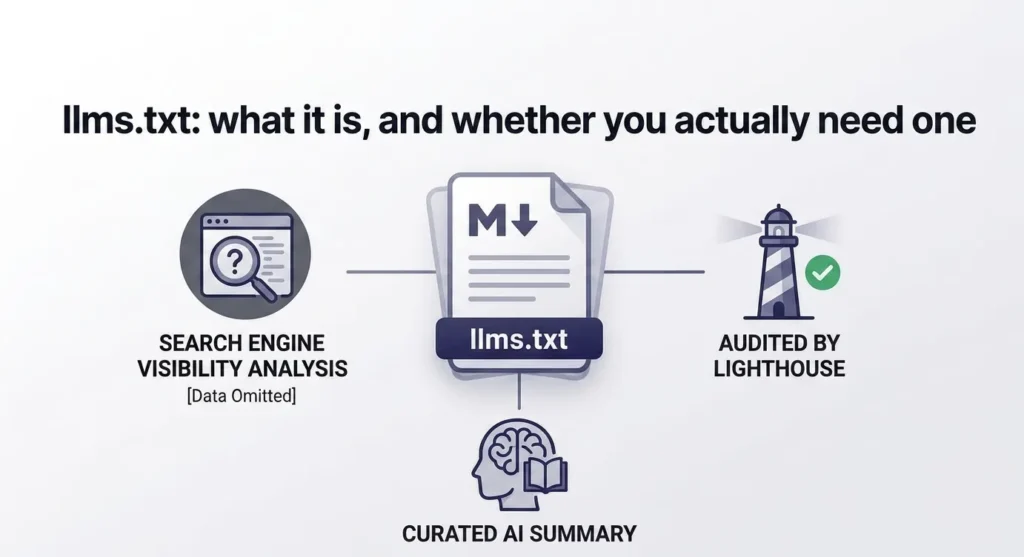
Google Search says llms.txt has no effect on your rankings. Chrome’s Lighthouse runs an audit that checks for it. Both are true, they are not in conflict, and the confusion between them is why this file has been argued about for eighteen months without anyone explaining how to write one properly.
The short version
llms.txt is a Markdown file at the root of your site that gives AI systems a curated summary of your most important pages. It was proposed by Jeremy Howard in September 2024 and published at llmstxt.org. It is a convention, not a web standard.
It will not improve your Google rankings. Google has stated this directly, and three independent studies found no measurable effect on AI citations either. If you are looking for an SEO win, this is not one.
It may help coding agents and agentic browsers understand your site without crawling all of it. That is a different audience and a much smaller one — but it is why Stripe, Vercel, Cloudflare and Anthropic all publish the file.
It takes about ten minutes to make. The rest of this page is what to put in it.
What Google actually said
In June 2026, Google updated its Search Central documentation to state that llms.txt files are not needed for Google Search, and that having one neither helps nor hurts your visibility or rankings, because Search ignores them.
That was a clarification rather than a reversal. In July 2025, Gary Illyes had already confirmed Google does not support the file and had no plans to, and John Mueller compared it to the keywords meta tag — a comparison that was not intended as a compliment.
The independent data agrees:
- Ahrefs studied roughly 38,000 domains carrying a valid llms.txt. In May 2026, 97% of those files received zero requests. No bots, no humans.
- SE Ranking analysed around 300,000 domains, found about 10% adoption, and found no correlation between the file and AI citations. Removing it from their model actually improved the model’s accuracy.
- Limy examined 515 million LLM bot traffic events and reported that requests touching /llms.txt were statistically negligible among the user agents that drive citations.
Anyone telling you this file is an AI-visibility shortcut is contradicted by all three studies at once.
So why does Lighthouse check for it?
Because Chrome and Search are answering different questions.
Chrome’s Lighthouse has an experimental Agentic Browsing category, documented at Chrome for Developers and last updated in May 2026. It evaluates how well a site is built for machine interaction — not how well it ranks. The category runs six audits across three groups: WebMCP integration, accessibility for agents, and stability and discoverability. The llms.txt check sits in the second group, alongside the agent accessibility tree.
Google’s stated reasoning is that without the file, agents spend more time crawling a site just to work out its structure and what matters on it.
Unlike other Lighthouse categories, Agentic Browsing does not produce a 0–100 score. It returns a fractional ratio of how many agent-readiness checks your site passes, because the standards here are still emerging and the stated goal is to gather data rather than rank sites.
Important, and widely misreported: Lighthouse does not penalise you for not having an llms.txt file. If the file is absent and the server returns a 404, the audit is marked Not Applicable, because providing it is optional. Lighthouse only flags the page when a server error occurs while trying to fetch the file. The check is looking for broken implementations, not missing ones.
Source: Chrome for Developers — llms.txt audit
If Lighthouse says “Fetch of llms.txt failed” and your file is fine
This is worth knowing before you spend an afternoon on it, because the error message is currently misleading in at least one documented case.
A bug filed against the Lighthouse repository in June 2026 (issue #17082) describes a site whose llms.txt returned HTTP 200 with a correct text/plain content type, and whose CDN edge logs confirmed PageSpeed Insights had successfully fetched the file twice from Google’s own datacenter IPs. Lighthouse still reported that the fetch had failed.
Two things stand out from that report. The suspected cause is post-fetch content validation that is not described anywhere in the documentation, which only lists server errors as a failure condition. And the PageSpeed runner was reported as using Chrome 146, while the Agentic Browsing scoring documentation states the category requires Chrome 150 or later.
So if you are seeing this: verify the file loads in a browser, verify the content type, and then treat the audit result as unreliable rather than assuming your file is wrong. This category is explicitly under development and subject to change.
Source: GoogleChrome/lighthouse issue #17082
llms.txt is not robots.txt
This is the most common misunderstanding, and it matters because it changes what you put in the file.
robots.txt controls access. It tells crawlers what they may and may not fetch. It is a directive.
llms.txt provides orientation. It tells an AI system what your site is and which pages are worth reading. It has no enforcement power whatsoever. Listing a page in llms.txt does not grant access to it, and leaving one out does not block anything.
| File | Answers | Mainly for | Required? |
|---|---|---|---|
| robots.txt | What may be crawled? | Search crawlers and bots | No |
| sitemap.xml | What URLs exist? | Search engines | No |
| llms.txt | What is this site, and what matters on it? | LLMs and AI agents | No |
| llms-full.txt | What does that content actually say? | Agents needing deeper context | No |
If you need to control what AI crawlers can access, that is a robots.txt job, not an llms.txt one.
What the file actually looks like
This is the part almost every article on this topic skips. The proposal specifies a Markdown structure, and it is short enough to learn in one read.
- An H1 with the site or project name. This is the only required element.
- An optional blockquote giving a one-line summary of what the site is.
- Optional paragraphs of context.
- H2 sections, each containing a Markdown list of links, with a short description after a colon.
- An optional final section named Optional, which signals lower-priority links an agent can skip if it is short on context.
A complete, correct file looks like this:
# Example Company

> Accounting software for small businesses. Invoicing, expenses and tax filing in one place.

Use these pages to understand what we do and how the product works.

## Documentation

- [Getting started](https://example.com/docs/getting-started): Set up an account and send your first invoice.
- [API reference](https://example.com/docs/api): Endpoints, authentication and rate limits.
- [Integrations](https://example.com/docs/integrations): Supported banks and accounting packages.

## Product

- [Pricing](https://example.com/pricing): Plans, limits and what each tier includes.
- [Security](https://example.com/security): Data handling, encryption and compliance.

## Optional

- [Changelog](https://example.com/changelog): Release notes by version.
- [Blog](https://example.com/blog): Company and product news.
That is the whole specification in practice. The descriptions matter more than people expect — a bare list of URLs gives an agent no more information than your sitemap already does. The description is the part that does the work.
llms.txt vs llms-full.txt
The proposal includes a second file. The distinction is straightforward:
- llms.txt is the map — a curated index of links with descriptions. Small, fast to read, and easy to keep current.
- llms-full.txt is the territory — an expanded file containing the actual content, or substantial excerpts of it, in one place.
Start with llms.txt. Only build llms-full.txt if you have a specific reason — extensive developer documentation that agents need to read in full, for instance. It is considerably more work to maintain, and a stale full-text file is worse than none at all.
What should not go in it
The single most common mistake is treating llms.txt as a second sitemap. It is a curated index, not an inventory. Ten to thirty well-described pages will serve an agent better than four hundred bare URLs.
Leave out:
- Every URL on the site — that is what sitemap.xml is for
- Admin, login and account pages
- Internal search result URLs
- Anything with tracking parameters attached
- Duplicate or near-duplicate pages
- Thin archive, tag and pagination pages
- Anything temporary, or anything you would rather a competitor did not find quickly
That last one deserves a moment’s thought. A well-curated llms.txt is also a very convenient map of your best content for anyone scraping you. That is a small risk, but it is a real one, and it is rarely mentioned.
Five mistakes that stop the file working
1. Wrong location. It must be at the domain root — https://example.com/llms.txt. A file at /docs/llms.txt or /public/llms.txt will not be found.
2. Wrong content type. The file should be served as text/plain. Several hosted platforms — Webflow, Framer and Shopify among them — serve uploaded text files as text/html by default. The file will look correct in your browser and be ignored by anything expecting plain text. Check the response header after uploading, not just the page.
3. HTML instead of Markdown. Related to the above, but a separate error: some CMS editors will wrap your content in tags on save. Verify the raw file, not the editor preview.
4. Relative URLs. Links must be absolute. /docs/api is ambiguous to something reading the file outside the context of your domain.
5. Letting it go stale. This is the failure mode that actually matters. A file listing pages that have since moved or been deleted is worse than no file, because it actively points agents at dead ends. If you cannot commit to reviewing it quarterly, consider whether you want one at all.
Should you make one?
The more structured and documentation-heavy your site, the more a curated machine-readable summary is worth. The more your URLs churn, the more it costs you to maintain.
| Site type | Worth it? | Why |
|---|---|---|
| Developer documentation | Yes | The clearest use case. Agents read docs constantly. |
| SaaS product with docs | Yes | Structured content, stable URLs, real agent traffic. |
| Large knowledge base | Worth considering | Useful, but curation takes real thought. |
| Agency or consultancy | Worth considering | Cheap, and signals technical awareness to the right readers. |
| E-commerce | Optional | Product URLs churn. Maintenance cost is real at scale. |
| Small brochure site | Optional | Ten pages. An agent can read all of them anyway. |
| Personal blog | Low priority | Little to curate, little to gain. |
| Site with constantly changing URLs | Probably not | It will be out of date within a month. |
If you want to see what a good one looks like in production, open stripe.com/llms.txt or vercel.com/llms.txt. Both are curated, described, and considerably shorter than you might expect.
How to make one
| Method | Best for |
|---|---|
| Write it by hand | Developers who want full control and already know Markdown |
| Copy a template | Small sites with a handful of pages to list |
| Use a generator | Most site owners — avoids the format and content-type mistakes above |
Whichever route you take, the steps are the same: pick ten to thirty pages that genuinely explain what your site is, write a real description for each, group them under H2 headings, save as Markdown, upload to your domain root, and check the response header says text/plain.
If you would rather not hand-write the Markdown, our llms.txt generator structures the headings and descriptions for you and checks the result against the specification before you export it. It also includes deployment notes for the platforms that get the content type wrong.
Frequently asked questions
Does llms.txt affect Google rankings?
No. Google’s documentation states the file is not needed for Search and neither helps nor hurts rankings, because Google Search ignores it. Independent studies from Ahrefs, SE Ranking and Limy found no measurable effect on AI citations either.
Why is Lighthouse checking for llms.txt then?
Because Chrome’s experimental Agentic Browsing category evaluates how well a site works for AI agents, which is a different question from how it ranks in Search. The audit does not penalise a missing file — if it returns a 404, the check is marked Not Applicable. It only flags a server error.
Lighthouse says my llms.txt fetch failed but the file loads fine. Why?
There is a documented bug where spec-compliant files served correctly as text/plain are still reported as failed fetches, apparently due to undocumented content validation. The scoring documentation also states the category requires Chrome 150 or later, while PageSpeed Insights has been reported running an earlier version. Verify the file loads and the content type is correct, then treat the audit as unreliable.
Is llms.txt the same as robots.txt?
No. robots.txt controls what crawlers may access and is enforced. llms.txt is orientation only — it describes what your site is and which pages matter, with no access control whatsoever.
How many pages should llms.txt list?
Roughly ten to thirty, with a real description for each. It is a curated index, not a sitemap. A focused file is more useful to an AI system than an exhaustive one.
What is llms-full.txt?
An expanded companion file containing the actual content or long excerpts rather than just links. Start with llms.txt; only add llms-full.txt if you have extensive documentation that agents need to read in full, and only if you can keep it current.
Where does the file go?
The root of your domain, at https://yoursite.com/llms.txt. It must be served as text/plain — check the response header, because Webflow, Framer and Shopify serve uploaded text files as HTML by default.
Build your llms.txt
Pick your pages, write the descriptions, and get a correctly structured file checked against the specification. No signup.