
Why Most Free Bulk URL Status Code Checkers Fail
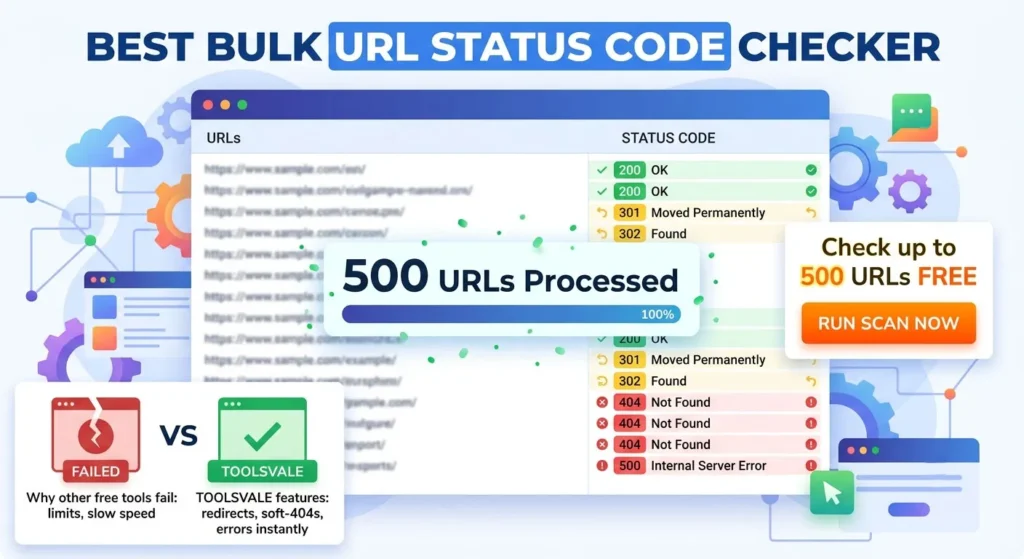
Best Bulk URL Status Code Checker Straight guide
If you manage SEO, site migrations, or client audits, you already know why checking HTTP status codes in bulk matters. A single broken link is easy to fix. A list of 500 URLs scattered across a redirect map, an old sitemap, or a backlink profile is not something you want to check manually.
The problem isn’t finding a tool to do this; it’s finding a free tool that actually finishes the job. We built our own Bulk URL Status Code Checker because the existing options routinely frustrated us. They either cap out too early, hide vital redirect hops, or miss soft-404s completely.
This post breaks down what the current landscape of bulk URL checkers looks like, where the common gaps are, and what you should look for depending on your specific use case.
The Gaps in Most Free Bulk URL Checkers
When we evaluated the most popular free tools on the market before building ours, we found three consistent failure points that turn a “five-minute check” into a tedious, manual process.
1. They stop at the first status code
Most free checkers take a URL, ping it, and report the immediate response. If your list contains http://example.com and it redirects to https://example.com, the tool reports a 301 and stops.
That is only half a report. In SEO and migration scenarios, you need to know where the URL finally ends up. Did it hit the secure version and stop? Did it redirect three more times and hit a 404? A status code alone doesn’t tell the full story. A good tool must follow the entire redirect chain and report the final destination and its status.
2. They miss “Soft 404s” entirely
A soft-404 happens when a page returns a perfectly healthy “200 OK” status code, but the actual visible text on the page says something like “Product not found” or “This page no longer exists.”
Because simple status checkers only read the HTTP headers and ignore the page body, they flag these pages as healthy. This allows broken links to sit undetected in your “healthy” count, wasting crawl budget and frustrating users. Catching these requires a tool that actually scans the response content, not just the header.
3. The “Free” limit is uselessly small
This is the most common frustration. Many tools advertise themselves as free but cap out at 25, 50, or perhaps 150 URLs before throwing up a paywall or demanding an email address. If you are auditing a moderately sized domain or checking a standard redirect map, a 50-URL limit forces you to split your work into dozens of tedious batches.
What a Good Bulk Checker Should Actually Do
Based on those gaps, here is what we believe a genuinely useful, free bulk URL checker needs to provide. This is the exact feature set we built into the ToolsVale checker.
- A Generous Free Limit: You should be able to check hundreds of URLs at once without an account. (We set our limit to 500 URLs per run, deduplicated automatically).
- Full Redirect Chain Tracking: It must follow redirects (at least 5 hops) and log the status code for every step of the journey, showing you exactly how a URL gets from A to B.
- Soft-404 Detection: It needs to scan the response body language to flag pages that return a 200 but say “not found.”
- Speed and Header Diagnostics: It should pull response times to help identify slow pages, along with crucial SEO headers like
x-robots-tagandcache-control. - Built-in Safety (SSRF Protection): It must automatically block requests to localhost and private network ranges (like 192.168.x.x) so a stray internal URL can’t be used to probe your network.
Who Needs a Bulk URL Checker?
Different disciplines use these tools for slightly different reasons, but the need for speed and accuracy remains constant.
SEOs and Site Auditors
When sweeping a site’s internal links or evaluating a client’s backlink profile, you need to find broken URLs and messy redirect chains (like A → B → C → D) that dilute link equity. A fast bulk check highlights these chains before you commit to a deep crawl.
Developers and Webmasters
After a deploy, a server change, or a domain migration, you need immediate confirmation that your redirect rules (like forcing HTTPS or stripping www) are firing correctly across your core pages, and that nothing is silently 404ing.
Content Teams
Before refreshing an old piece of pillar content, you need to check all outbound links. Dead external references hurt your credibility and user experience. Pasting the links into a bulk checker takes seconds and guarantees you aren’t sending readers to dead domains.
How to Use the ToolsVale Bulk Status Checker
We designed our tool to be the fastest way to get a complete picture of up to 500 URLs, without forcing you to log in or download software.
- Add your URLs: Paste your list (one per line) or upload a .txt or .csv file. The tool automatically removes duplicates.
- Click “Check URLs”: The tool processes requests concurrently (4 at a time) and shows live progress.
- Review the Data: For every URL, you will see the initial status, the final status (if it redirected), the total redirect count, the final destination URL, the response time, and any soft-404 or error flags.
- Filter and Export: Use the summary chips to instantly filter for Broken, Redirects, 5xx errors, etc., and download the full report as a CSV for your team.
Crucially, nothing is stored or tracked. The URLs are processed in memory for that single request and deleted within an hour. Close the tab, and the data is gone.
The Verdict: Web-Based Checkers vs. Desktop Crawlers
If you need to crawl an entire 100,000-page enterprise site to find every broken link organically, you need a heavy-duty desktop crawler like Screaming Frog (though our Broken Link Checker handles up to 10,000 pages for free).
But if you already have the list of URLs—from a sitemap, a migration spreadsheet, or a client export—and you just need to know exactly what happens when a browser hits them, a desktop crawler is overkill. You don’t need to spin up a project file; you just need answers.
That is where a dedicated, high-limit web tool wins. It turns an hour of manual checking or software configuration into a two-minute task.
Try the ToolsVale Bulk URL Status Code Checker here. No account needed, up to 500 URLs per run, and full redirect chains included.